

DevOps用接続アプリケーションの権限設定

はじめに
DevOpsを構築する機会があり、CIツールからMuleアプリケーションを構築するための接続アプリケーションの権限について調査した。権限設定について説明する。
接続アプリケーションの設定方法
ルートのビジネスグループを選択し、アクセスマネージャから接続アプリケーションを作成する。
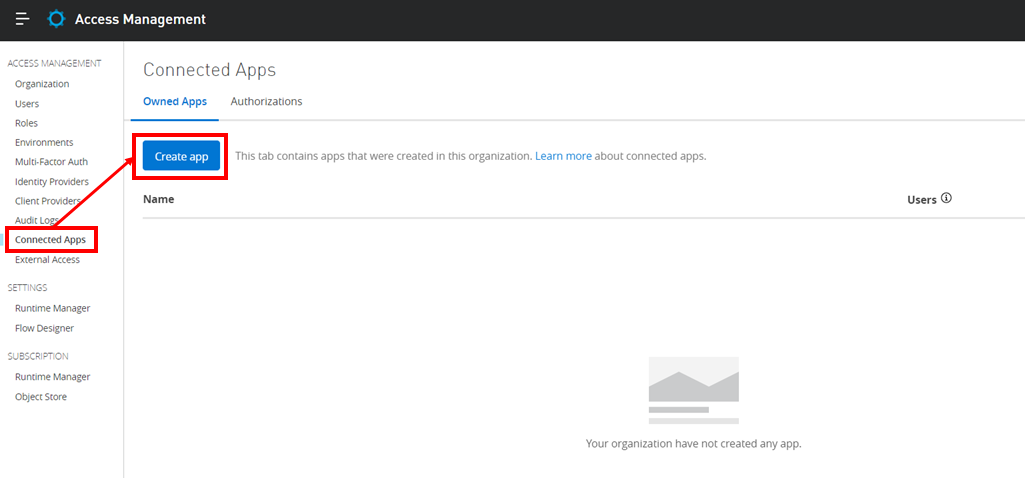
接続アプリケーションのNameは、今回、”DevOps Connected App”とした。
種別はクライアント認証を選択する。
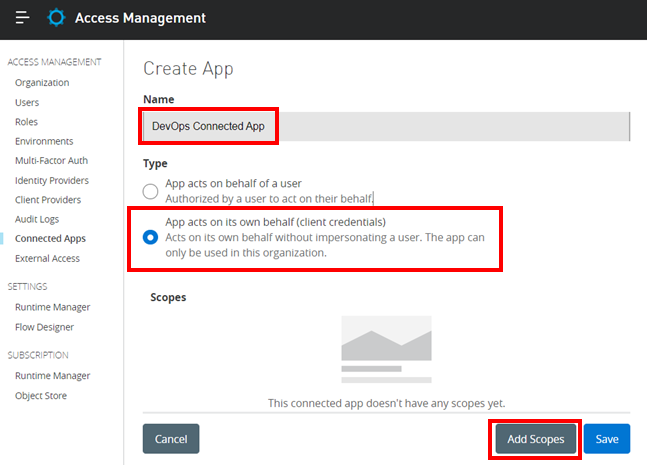
スコープを選択する。
下の表のスコープ名を赤枠の虫眼鏡にペーストすると付与するスコープが分かりやすくなる。
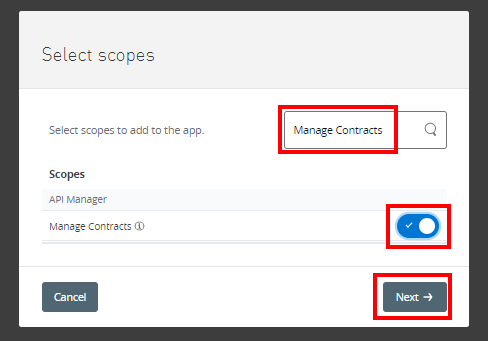
設定するスコープは以下の通り。
セキュリティの観点で、ビジネスグループや環境毎にCIツールのクライアント認証情報を分ける場合が多いいため設計する。
| No. | 機能 | スコープ名 | ビジネスグループ | 環境 |
|---|---|---|---|---|
| 1 | Exchange | Exchange Administrator | グループA | – |
| 2 | Exchange | Exchange Viewer | グループA | – |
| 3 | Runtime Manager | Create Applications | グループA | SandBox |
| 4 | Runtime Manager | Read Applications | グループA | SandBox |
| 5 | Runtime Manager | Manage Alerts | グループA | SandBox |
| 6 | Runtime Manager | Manage Application Data | グループA | SandBox |
| 7 | Runtime Manager | Manage Settings | グループA | SandBox |
| 8 | API Manager | Manage Contracts | グループA | SandBox |
| 9 | API Manager | Manage API Alerts | グループA | SandBox |
| 10 | API Manager | Manage APIs Configuration | グループA | SandBox |
| 11 | API Manager | Manage Policies | グループA | SandBox |
| 12 | General | Profile | – | – |
| 13 | General | View Environment | グループA | SandBox |
| 14 | General | View Organization | グループA | – |
| 15 | General | API Catalog Contributor | グループA | – |
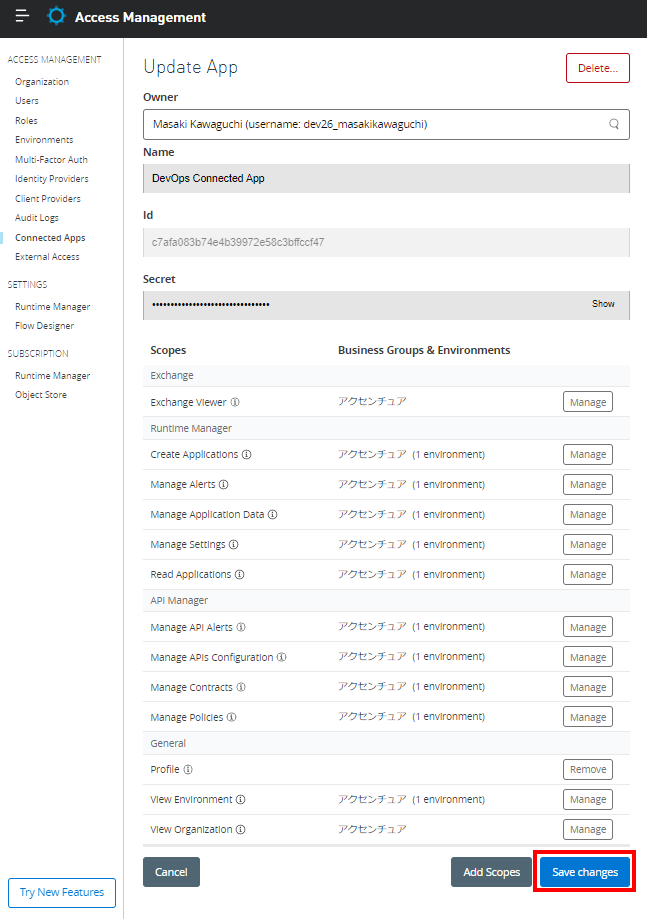
権限を付与するビジネスグループと環境が表示される。

付与した権限を保存する。
さいごに
いかがだったでしょうか?
DevOpsのCIツールがMuleアプリケーション構築に必要な権限について説明しました。
是非、活用にしてみてください。では。


